
How to Search Cases by Name
Carroll's documented public form for a name search is the Municipal Court Record Search. Enter the name as last, first middle. Pick the court listed on your case papers. Municipal Court keeps its own traffic, criminal, parking, civil, and small-claims files. A felony may sit with a different custodian. So may a general civil, domestic relations, estate, or juvenile matter.
- Open the Municipal Court's Record Search and accept its currency disclaimer.
- Choose Case Search, enter one properly formatted name criterion, and retain only the useful case-type categories.
- Choose a result-count setting if needed, then complete the CAPTCHA through the normal interface.
- Use any result as a route to the correct court record, and seek clerk verification when the result matters.
Carroll Case Lookup Field Guide
The Municipal Case Search form carries a set of labeled controls, described here as a field guide. These describe the search form only. They are not a live case-result screen. The gateway warns that information may be delayed at least 24 hours and could change, so confirm anything that matters through the proper court record or clerk route.
| Field or control | Type | Required | Observed format or options |
|---|---|---|---|
| Name/Company | Text | No | Use last name, comma, space, first/middle; one search item at a time. |
| Hearing Date | Date selectors | No | Month, day, and year choices; years 1982 through 2029 were observed. |
| Case Number | Text | No | Maximum eight characters; numbers and dashes only, with no letters. |
| File Date / File Year | Date selectors | No | Month, day, and year controls; file years 1978 through 2026 were observed. |
| Ticket Number | Text | No | A separate field with an eight-character maximum. |
| Case Type | Checkboxes | No | TR, CR, CV, SM, and PR; all are initially checked. |
| Matches per page | Radio buttons | No | 25 is the default; 25, 50, 100, and 250 are offered. |
| CAPTCHA answer | Text and controls | Effectively yes | Six-character limit with audio/listen and refresh controls. |
The official Municipal Record Search gateway keeps the case form separate from the Calendar Search form. That split matters when you want one particular file rather than a date-range list.
Carroll Case Lookup Name Format
Name order matters on the Municipal form. Type the last name first, then a comma, then the first and middle names. A case category can narrow a broad name search. But the portal will not let you stack extra free-text filters on top of each other. A miss in one court proves nothing. Common Pleas or Probate/Juvenile may still hold the case you want.
Carroll County also runs a separate administrative track through the County Commissioners' public-records form. That form wants a description of what you need plus optional contact details. It is not a court case lookup. So do not send it to the clerk in place of a docket request.
The Commissioners' public-records request page shows the request form itself. To see it, open the official county page.
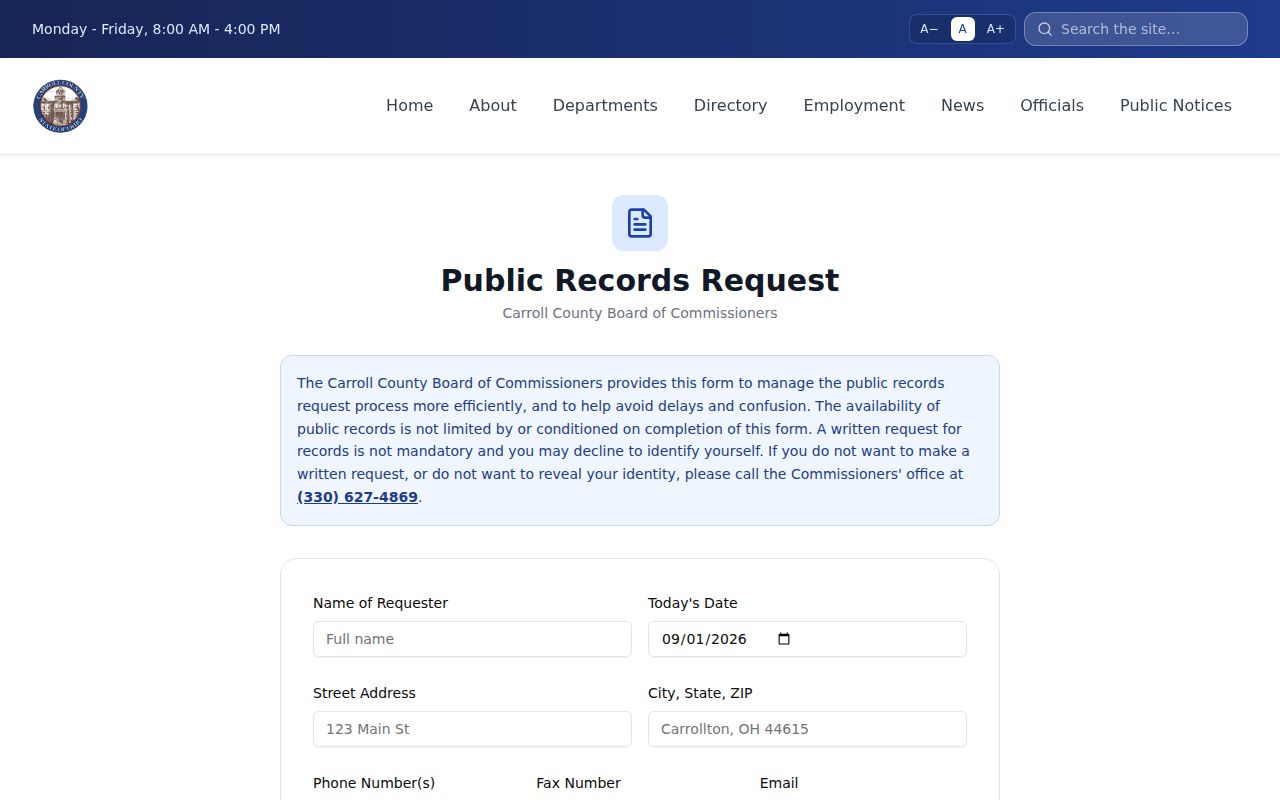
The form also marks the custody boundary. County administrative records and court case files do not come out of the same office.
How to Search by Case Number
Municipal Case Search takes a case number of up to eight characters, numbers and dashes only. The sample 1234-567 shows permitted characters. It is not a published Carroll case-number formula. So do not add letters, drop punctuation, or force an unverified format. The Ticket Number box is separate. It carries the same eight-character cap, so a ticket identifier belongs in its own field. A Common Pleas number, a Probate/Juvenile number, or any citation tied to another court should go to that court's official channel. Give the clerk the exact number and court name rather than an assumed countywide format. One case can also touch two courts. This happens when preliminary felony proceedings sit in Municipal Court before a Common Pleas case opens.
Carroll Case Lookup Category Filters
Municipal Court labels its case-type filters with five short codes. The codes narrow a search within the Municipal system. They do not replace the court's own docket detail. They also do not prove which documents are public. Treat them as local interface categories, not a countywide codebook.
- TR
- Traffic category in the Municipal search form.
- CR
- Criminal category in the Municipal search form.
- CV
- Civil category in the Municipal search form.
- SM
- Small Claims category in the Municipal search form.
- PR
- Parking category in the Municipal search form.
Does a name query return too much? Clear the categories that plainly do not fit the known case. For a no-result search, reconsider the court and the category before drawing any conclusion.
Carroll Case Lookup One-Criterion Rule
The Municipal interface allows only one piece of information per search. Use a name, a hearing date, a case number, a file date or year, or a ticket number. That is the single search item. Combining free-text data can return an empty result. That outcome comes from breaking the form's own instruction, not from a missing case. Complete the CAPTCHA normally and let the form work as designed. Sometimes the form cannot be completed. A result may also need verification. Then use the named clerk counter, the public terminal, a phone call, or a narrow written request instead.
What a Case Search Shows
A public docket or register is a chronological index. It lists case events, filings, notices, and orders. A portal display can help you locate the file. It is not automatically a filed document or a certified copy. The general record terms below describe the information a court docket can carry when public access is available.
| Case number | The court-assigned identifier, used with its exact punctuation in the correct court channel. |
|---|---|
| Caption or style | The court's title for the matter, which is not itself the full case file. |
| Case type | The court category, such as a Municipal TR, CR, CV, SM, or PR label. |
| Filing date | The date a document or case was accepted by the clerk, which can differ from electronic submission time. |
| Docket entry | One dated item in the register, such as a notice, order, hearing, or disposition entry. |
When you need an ordinary or certified copy rather than an index view, follow up with a Carroll County court record search on the current record.
Carroll Case Lookup Delay Warning
Municipal Record Search warns plainly that information can be delayed at least 24 hours, possibly longer. The same warning tells anyone who needs verified information to make a written request or visit during business hours. A very recent filing, a changed setting, or a record that has not yet posted may still need confirmation at the court.
Verification route: A portal result is a starting point. For an important detail, identify the custodian court and ask for the docket, filed entry, plain copy, or certified copy that fits the need.
The Municipal Court's published courthouse image is available from its official image source.
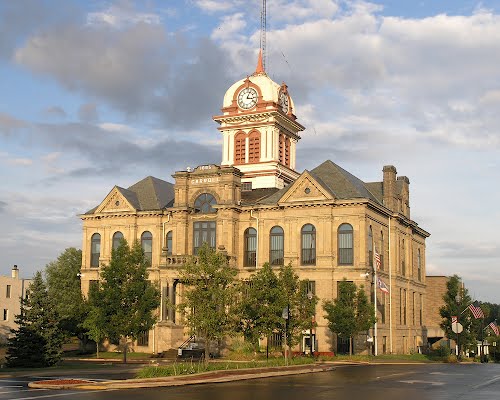
Municipal Court runs its own record counter. That route sits apart from the Clerk of Courts, which keeps the Common Pleas files.
County vs Statewide Case Search
Ohio offers no single statewide docket portal for trial-court cases. The Supreme Court's eStats Public Reports hold aggregate data only. They cannot help you locate a Carroll case. For a particular county matter, you need a local court portal, a public terminal, or a clerk route. That boundary is what the comparison below holds to.
| Ohio eStats Public Reports | Carroll court access channels |
|---|---|
| Aggregate reports from courts | Separate local channels for Municipal, Common Pleas, and Probate/Juvenile records |
| Useful for court system context | Used to locate or verify an individual case in the proper court |
| Not an individual trial-docket search | Includes a local portal where offered, clerk access, and court-specific fallback |
The Ohio eStats Public Reports are therefore not a substitute for Carroll case lookup.
Carroll Case Lookup Custodian Split
A search that comes back empty often points to the wrong record holder. In Carroll County, the Clerk of Courts holds Common Pleas General Division matters. The same office holds Domestic Relations. The Municipal Court Clerk keeps municipal criminal, traffic, parking, civil, and small-claims records. Probate and Juvenile files sit with a separate court office of their own. Each route carries its own online availability and access limits. A citation may also name the Village of Minerva Mayor's Court. That is its own local path, not a stand-in for the Municipal docket. So read the court printed on the ticket before you pick an online search. And a separate route by itself is not proof that a normal Municipal search failed.
Carroll Case Lookup Common Pleas Route
Common Pleas eServices gates its content by browser and session. It exposes no public case-search form you can count on. Don't assume a party-name field exists. Don't treat e-file registration as public records access. When eServices offers no usable search, the Clerk's Public Access Terminal in Suite 401 during regular business hours is the fallback. The Clerk counter comes after that. Financial affidavits may not appear in online docket images. Papers marked not for public view may not appear there either. A missing remote image doesn't mean nothing was filed. Ask the Clerk the right question instead. Is the docket, entry, plain copy, or certified copy available through direct access?
Restricted Cases and Access Rules
Ohio Rules of Superintendence 44 and 45 control public court-record access. Dockets, indices, and journals all count as court records. A statute, rule, or order can still limit access. Remote access is permitted, not required. In Carroll Common Pleas, financial affidavits are not imaged for public web access. Anything ordered not for public view stays out of online images. Adult sealing and juvenile restrictions follow separate statutory paths. A thin or empty result may reflect a court mismatch, a posting lag, a session-limited service, a remote-access choice, or a lawful restriction. It says nothing about a person or case. Ask the court for a public docket or a permitted copy. Let the record keeper apply whichever rule or order governs.
Carroll Case Lookup Probate Route
For Probate and Juvenile files, the Probate/Juvenile Record Search is that court's official route. The public form can be slow to load. So treat any claim about its fields, result columns, or open access with caution. If a search fails, or for a juvenile matter, call the office at 330-627-2323 or stop at the Suite 202 counter. These records are not tucked inside the Municipal portal. Sensitive juvenile material carries stronger access limits. What the court releases can hinge on the document type and any restriction in play. Stick with the official court channel rather than a third-party stand-in.